

Table of Contents
You make an API call from your shiny new frontend, open the console and there it is: a wall of red text telling you the request was blocked by CORS policy.
Almost every frontend developer hits this sooner or later. In this post, I'll explain the same-origin policy and CORS, and then walk through a few ways to fix CORS errors in your apps.
What is cross-origin?
Cross-Origin Resource Sharing (CORS) is a technique, or protocol, that lets a web page on one domain access resources located on other domains.
For security reasons, browsers typically block requests that come from outside their own domain. In some circumstances, though, you genuinely need to access resources on different domains, and CORS is what makes that possible.
What is the same-origin policy?
To understand CORS, you first need to understand the rule it relaxes: the Same-Origin Policy (SOP). The SOP only allows free resource access between pages that share the same origin. In this section, I'll explain the SOP and how it contributes to website security, and later on, how CORS makes it faster and more versatile to work with.
If two websites want to share resources, their origins must be the same. Two origins are the same only when all three of these match:
- Protocol (for example,
httporhttps) - Domain (for example,
example.com) - Port number (for example,
3000)
If any one of the three is different, the two are treated as separate origins. For example, compared with https://example.com:
| URL | Same origin? | Why |
|---|---|---|
https://example.com/about | Yes | Only the path differs |
http://example.com | No | Different protocol |
https://api.example.com | No | Different domain (subdomain) |
https://example.com:8080 | No | Different port |
That's why a React app on http://localhost:3000 calling an API on http://localhost:5000 hits CORS errors locally.
Despite being restrictive, the SOP is very secure and prevents potential attacks on websites that use cross-domain resources.
 GIF via GIPHY
The SOP protects websites, but it's also the checkpoint that every conversation with an external website has to go through.
What is Cross-Origin Resource Sharing (CORS)?
CORS was introduced to allow quick and simple access to subdomains and trusted third parties. As I mentioned earlier, CORS provides controlled resource sharing between different origins.
Under the CORS specification, the browser and the cross-origin website you're trying to access exchange HTTP headers. These headers specify which web origins are trusted, along with related access-control rules.
A simplified version of that exchange looks like this. The browser tells the server where the request comes from:
GET /api/users HTTP/1.1
Host: api.example.com
Origin: http://localhost:3000
And the server answers with the origins it trusts:
HTTP/1.1 200 OK
Access-Control-Allow-Origin: http://localhost:3000
Content-Type: application/json
If that header is missing or doesn't match, the browser refuses to hand the response to your JavaScript. For some requests (such as PUT or DELETE, or ones with custom headers), the browser first sends an OPTIONS preflight request to ask permission.
Because it only grants restricted access to cross-domain websites, CORS is secure. It's typically used to work around the restrictions the SOP introduces. However, CORS can pose serious security threats when it's implemented incorrectly, and misconfigurations can lead to problems and errors.
Let's find out more about CORS errors and how to prevent them.
How to find the error
To understand the underlying problem with your CORS settings, you need to work out which request is failing and why. Here's how:
- Open your browser's developer tools.
- Click the Console tab.
- Make the API request again.
If you see something like this, you have a cross-origin issue:

How to enable CORS in your apps
There are several ways to stop CORS errors from ruining your app. Here are three, from quickest to most robust.
Fix 01: Send CORS headers with .htaccess
If your app is served by Apache, you can allow it to send CORS headers by adding the following to an .htaccess file in your app's web root directory (public):
- To allow a specific URL, set the origin explicitly:
Access-Control-Allow-Origin: http://localhost:3000 - To allow all URLs, use the wildcard:
Access-Control-Allow-Origin: *
<IfModule mod_headers.c>
  Header set Access-Control-Allow-Origin "http://localhost:3000"
</IfModule>
Prefer a specific origin over * where you can: browsers won't accept the wildcard for requests that send credentials such as cookies.
Fix 02: Use a browser extension
There are plenty of Chrome extensions that stop CORS errors from appearing. Installing one of these can quickly solve the problem on your own machine:


But keep this in mind: it's not the ideal solution, and it's not practical once you deploy your application. Can we really ask our clients to install a browser extension just to run our app? 😂
Fix 03: Build a middleware or proxy
Building a middleware or proxy is the best solution of the three. The following snippet shows how you can use a simple node middleware to get around CORS errors:
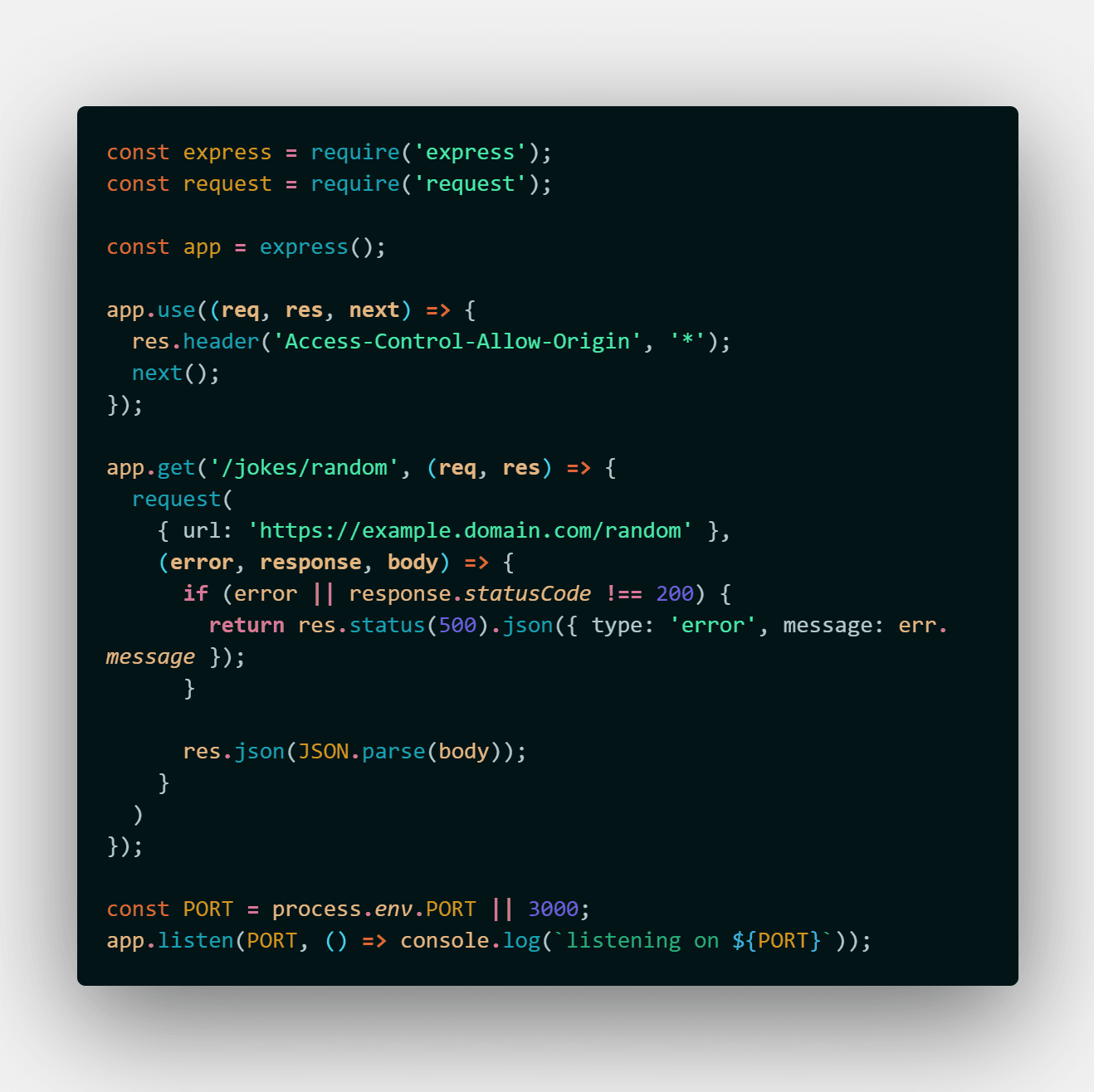
Here's a similar proxy in copy-friendly form:
const express = require('express')

const app = express()

// Add the CORS header to every response
app.use((req, res, next) => {
  res.header('Access-Control-Allow-Origin', '*')
  next()
})

// Forward the request to the other server, then send the result back
app.get('/random', async (req, res) => {
  const response = await fetch('https://api.example.com/random')
  const data = await response.json()
  res.json(data)
})

app.listen(4000)
How does it work?
- The proxy uses Express middleware to add an
Access-Control-Allow-Origin: *header to every response from the server. - When the browser calls the proxy's own
/randomGET endpoint, the proxy requests a response from another server. - That request isn't blocked by the same-origin policy, even though the domains are different, because it's a server-to-server request. The SOP is enforced by browsers, not servers.
- The proxy then sends the resulting data, along with the
Access-Control-Allow-Origin: *header, back to the original requester (the browser app).
Wrapping up
CORS errors can cause frontend developers a lot of pain. They become far more tolerable once you understand the same-origin policy behind them, and how it defends against malicious attacks such as cross-site request forgery.
Key takeaways:
- An origin is the combination of protocol, domain and port. Change any one, and it's a different origin.
- The same-origin policy is the browser's default protection; CORS is the controlled way to relax it using HTTP headers.
- Browser extensions are fine for local debugging, not for production.
- A proxy or middleware is the robust solution.
Thanks to these fixes, you won't ever have to worry about a red CORS error in your browser console again. Instead, you'll pull out the plugin or a proxy and declare in its face:

Originally published on dev.to.